

Latest Version
Jonathan Pobst
Design
Linux
Free
com.github.PintaProject.Pinta
Report a Problem
More About Pinta
The Ideal Solution for Quick Digital Painting and Photo Edits
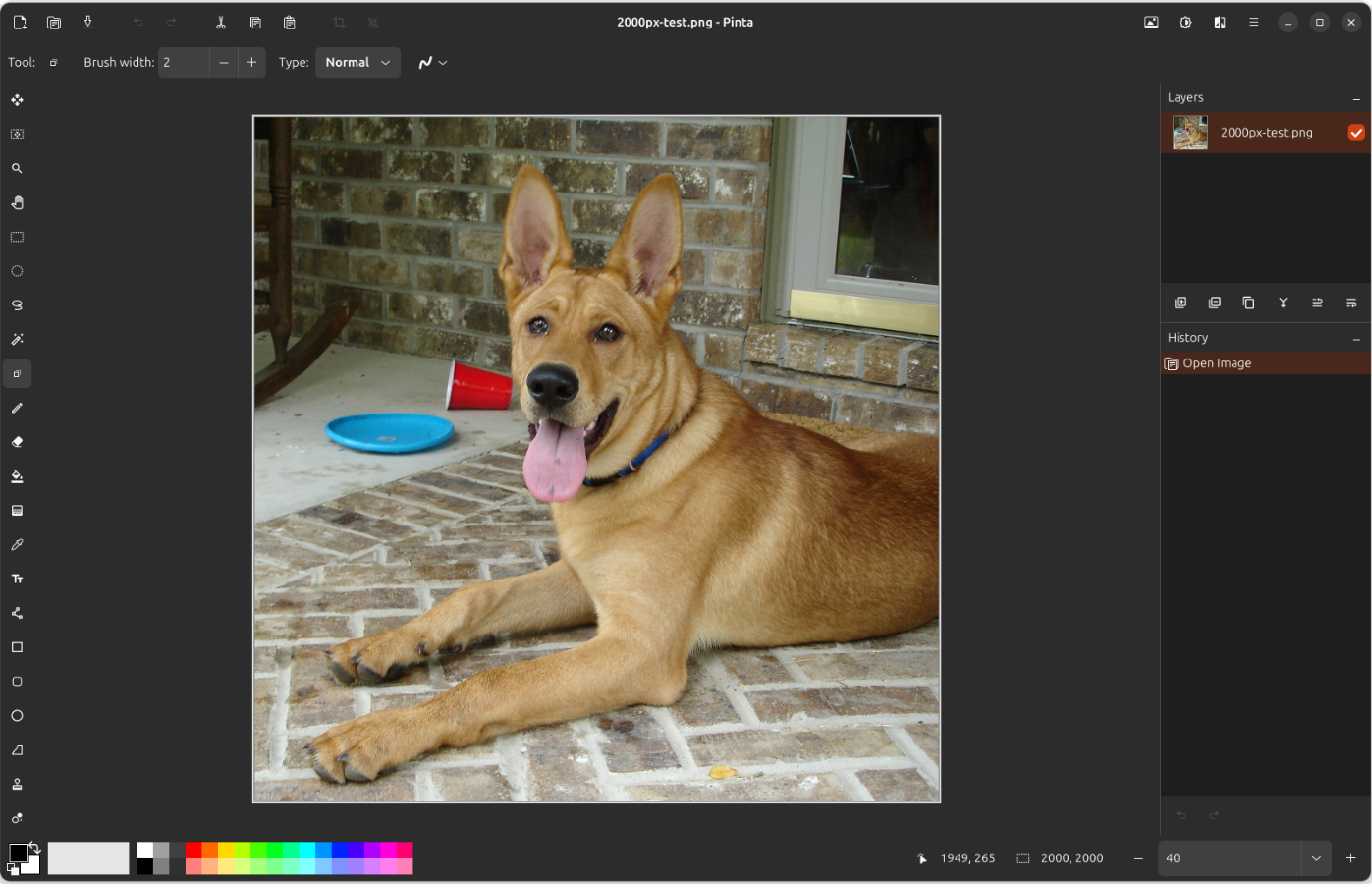
Imagine you need to quickly touch up a screenshot, crop a photo, or sketch a design concept on your Linux machine. You do not want to wait for a massive, resource-heavy graphics suite to load, yet basic paint tools lack the depth you need. This is where the Pinta image editor shines, offering a perfect middle ground for creators who value speed without sacrificing essential creative tools.
Versatile Features for Digital Artists and Editors
Developed by Jonathan Pobst, the Pinta image editor is designed specifically for the Linux platform to streamline your creative workflow. Despite its lightweight footprint, it packs a robust selection of features that cater to both casual doodlers and serious designers:
- Comprehensive Drawing Arsenal: Easily draft shapes, lines, and freehand sketches using a highly responsive set of brush and shape tools.
- Advanced Layer System: Organize your digital artwork with unlimited layers, allowing you to experiment with blends and compositions non-destructively.
- Over 35 Built-In Effects: Enhance your graphics instantly with a wide array of filters, color adjustments, and artistic effects.
- Intuitive Workspace: A clean, uncluttered user interface that stays out of your way so you can focus entirely on your canvas.
Who Is This Linux Graphic App For?
If you find enterprise-grade design software overwhelming but find default paint utilities too limiting, this application is tailored for you. It bridges the gap beautifully, making it an excellent choice for bloggers, indie developers needing quick assets, and digital painters who appreciate an agile workspace. Because it is built natively for Linux, it integrates seamlessly into your desktop environment, running efficiently even on hardware with modest specifications.
Streamline Your Creative Projects
Choosing the right design tool comes down to finding the right balance of usability and power. The Pinta image editor delivers exactly that, proving that you do not need complex menus to produce high-quality digital art or clean photo manipulations. To explore this versatile tool further and add it to your creative toolkit, head over to the official Flathub store page to get started.
Rate the App
User Reviews


Popular Apps









Editor's Choice