

Latest Version
White Beach
Finance
Windows
8.89
9ppjq6gjlmvl
Report a Problem
More About Checkbook Manager
Managing ledger books, paper checks, and bank reconciliations can quickly become a administrative headache. The Checkbook Manager ledger application by White Beach offers a streamlined, offline digital solution designed to simplify your daily transaction tracking. Tailored specifically for Windows users, this utility bridges the gap between complex accounting suites and overly simplistic spreadsheets.
Who Benefits Most from the Checkbook Manager Ledger Application?
This software is engineered for those who need precise control over their bank accounts without the steep learning curve of enterprise software. It is particularly beneficial for:
- Self-Employed Professionals: Keep business and personal expenses separated while maintaining an accurate ledger of incoming and outgoing checks.
- Small and Micro Businesses: Print physical checks directly from the interface using customizable templates and track client payments easily.
- Family Financial Planners: Monitor household cash flow, set up recurring transaction rules, and reconcile monthly bank statements with ease.
Standout Features for Streamlined Accounting
The Checkbook Manager ledger application goes beyond simple data entry by offering tools that actively assist in maintaining financial accuracy:
Smart Bank Reconciliation
Instead of manually cross-checking every transaction, you can import your bank's CSV statement directly into the application. The smart matching engine automatically pairs transactions based on amount and date tolerance, instantly highlighting any discrepancies between your ledger and the bank's records.
Efficient Check Printing
With built-in templates (including standard 3-up formats), the application automatically converts numerical amounts into written words. You can select multiple transactions and print your checks with a single click, saving valuable administrative time.
Automated Rules and Reminders
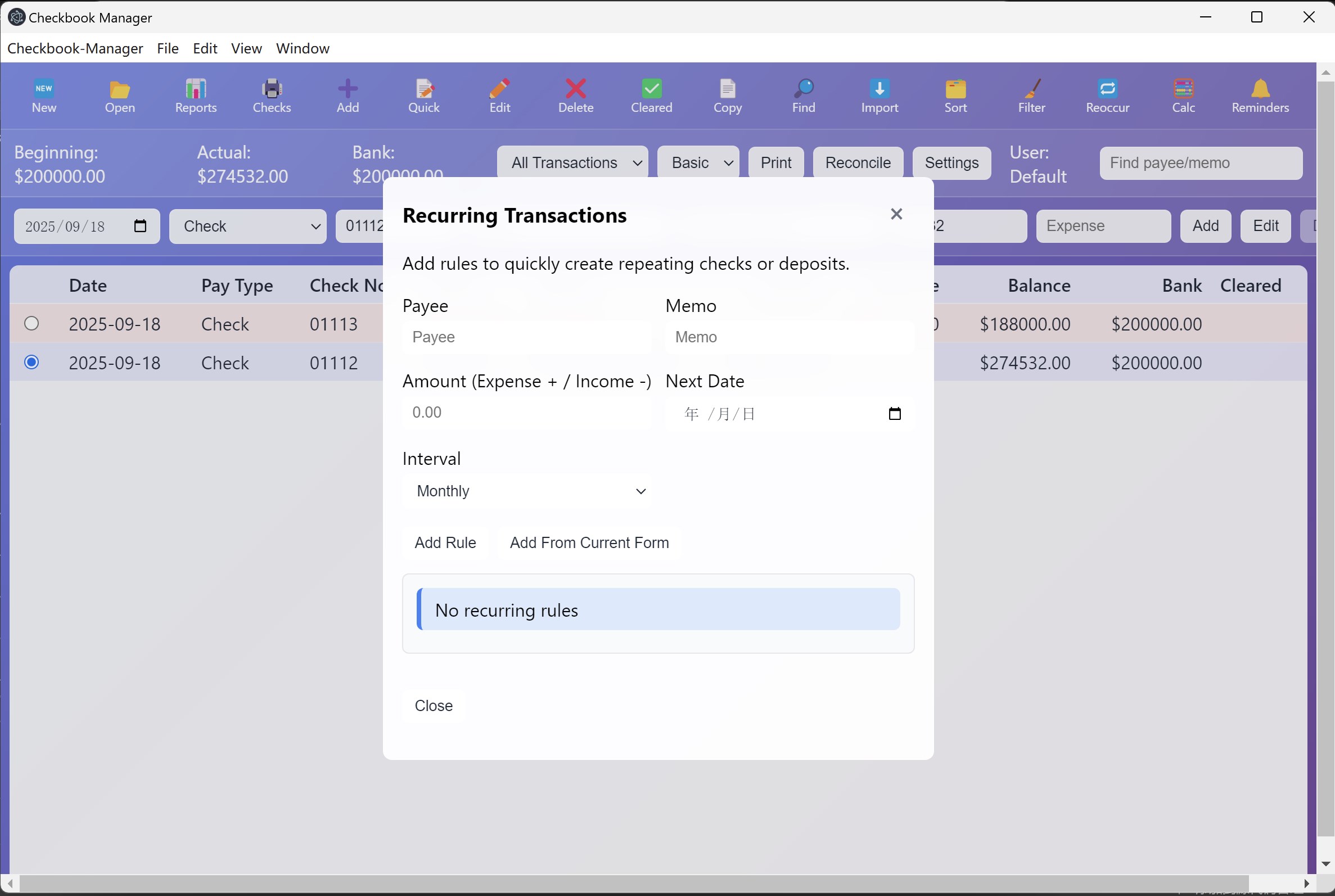
Never miss a payment deadline. The software features customizable due-date reminders with optional audio alerts. Additionally, you can turn any standard transaction into a recurring weekly or monthly rule, allowing you to generate future ledger entries instantly.
Data Portability and Security
Your financial data remains entirely under your control. The application utilizes secure local storage rather than cloud databases, allowing you to import and export your complete transaction history via JSON files. When it comes to tax season, you can easily export custom reports to CSV or PDF formats for your accountant.
Get Started with Checkbook Manager
If you are looking for a reliable, offline tool to manage your bank accounts and print checks, this software offers an excellent balance of simplicity and depth. To learn more about the utility or to purchase it for your device, visit the official Microsoft Store today.
Rate the App
User Reviews



Popular Apps









Editor's Choice